Kubernetes Object Topology: Mapping Resource Relationships Without Guesswork
Kubernetes is a relationship-heavy system. Almost every object matters because of what it owns, selects, mounts, references, or routes to.
A Deployment is not just a Deployment. It creates ReplicaSets. ReplicaSets create Pods. Pods run on Nodes, mount ConfigMaps and Secrets, claim PersistentVolumes, use ServiceAccounts, and sit behind Services. Ingresses may route traffic into those Services. NetworkPolicies may restrict the Pods. Events and logs may live on the child objects, not the parent object you started from.
That web of relationships is what makes Kubernetes powerful. It is also what makes debugging slow.
The problem with object-by-object debugging
The standard Kubernetes workflow is often a chain of manual lookups:
kubectl describe deployment api
kubectl get rs -l app=api
kubectl get pods -l app=api
kubectl describe pod api-abc123
kubectl get svc -l app=api
kubectl get configmap
kubectl get secret
That works, but it forces you to keep the relationship graph in your head.
It also makes it easy to miss important links:
- A Service selector may not match the Pods you expected.
- A Pod may mount a Secret that is about to be changed.
- A ReplicaSet may be the real owner of the Pods you are inspecting.
- A PersistentVolumeClaim may be shared by an object you did not notice.
- A Pod may be scheduled onto a Node that already has pressure events.
When the cluster is small, this is manageable. In production clusters with many controllers, namespaces, and generated resources, it becomes tedious and error-prone.
What object topology means
Object topology is a view of how Kubernetes resources connect.
It answers questions like:
- What owns this object?
- What children did this object create?
- What configuration does this workload depend on?
- Which Service routes to these Pods?
- Which Node is this Pod running on?
- Which PersistentVolumeClaim is attached?
- What objects could be affected if I change this Secret or ConfigMap?
The goal is not to draw the entire cluster at once. That usually becomes unreadable.
The goal is to show the relationships around the object you are investigating.
Common Kubernetes relationships to visualize
A useful topology view should understand several kinds of Kubernetes relationships.
Owner relationships
These come from owner references:
- Deployment to ReplicaSet
- ReplicaSet to Pod
- StatefulSet to Pod
- DaemonSet to Pod
- CronJob to Job
- Job to Pod
Owner relationships explain lifecycle. If a Pod disappears, the owner is usually responsible for recreating it.
Selector relationships
These come from labels and selectors:
- Service to Pod
- NetworkPolicy to Pod
- Deployment selector to Pod template
Selector relationships explain routing and policy. They are also a common source of subtle mistakes because label mismatches do not always produce obvious errors.
Reference relationships
These come from explicit fields in Pod specs and other objects:
- Pod to ConfigMap
- Pod to Secret
- Pod to PersistentVolumeClaim
- Pod to ServiceAccount
- Ingress to Service
- HorizontalPodAutoscaler to target workload
Reference relationships explain dependencies. If a ConfigMap is malformed or a Secret is missing, the Pod may fail even though the controller looks correct.
Scheduling relationships
These connect workloads to Nodes:
- Pod to Node
- Pod to node selectors
- Pod to affinity and tolerations
Scheduling relationships help you understand placement and blast radius when a Node has pressure, readiness, or runtime problems.
Why topology helps during incidents
During an incident, you rarely have time to rebuild the graph manually.
If a Pod is failing, you want to know:
- Which controller owns it?
- Which Service sends traffic to it?
- Which ConfigMaps and Secrets does it depend on?
- Which Node is it on?
- Are there related events on the owner, Pod, or Node?
If a ConfigMap is about to change, you want to know:
- Which workloads reference it?
- Are those workloads critical?
- Are they all in one namespace or spread across many?
If a Service is not routing traffic, you want to know:
- Does the selector match any Pods?
- Are the matching Pods ready?
- Is the Ingress pointing to the right Service and port?
Topology makes those questions visual.
What to look for in a good topology view
A useful Kubernetes topology view should be focused, not overwhelming.
Good signs:
- It starts from the selected object.
- It shows owner chains and children.
- It shows Services, ConfigMaps, Secrets, PVCs, Nodes, and other relevant dependencies.
- It uses clear resource icons.
- It labels relationship direction.
- It supports pan and zoom.
- It avoids expanding common shared objects into unreadable graphs unless selected directly.
- It lets you open related objects from the graph.
Bad signs:
- It draws every object in the cluster by default.
- It ignores selectors.
- It only shows owner references.
- It cannot navigate from a node in the graph to the resource detail.
- It hides important dependency types like Secrets or PVCs.
Example: K8Studio Object Topology
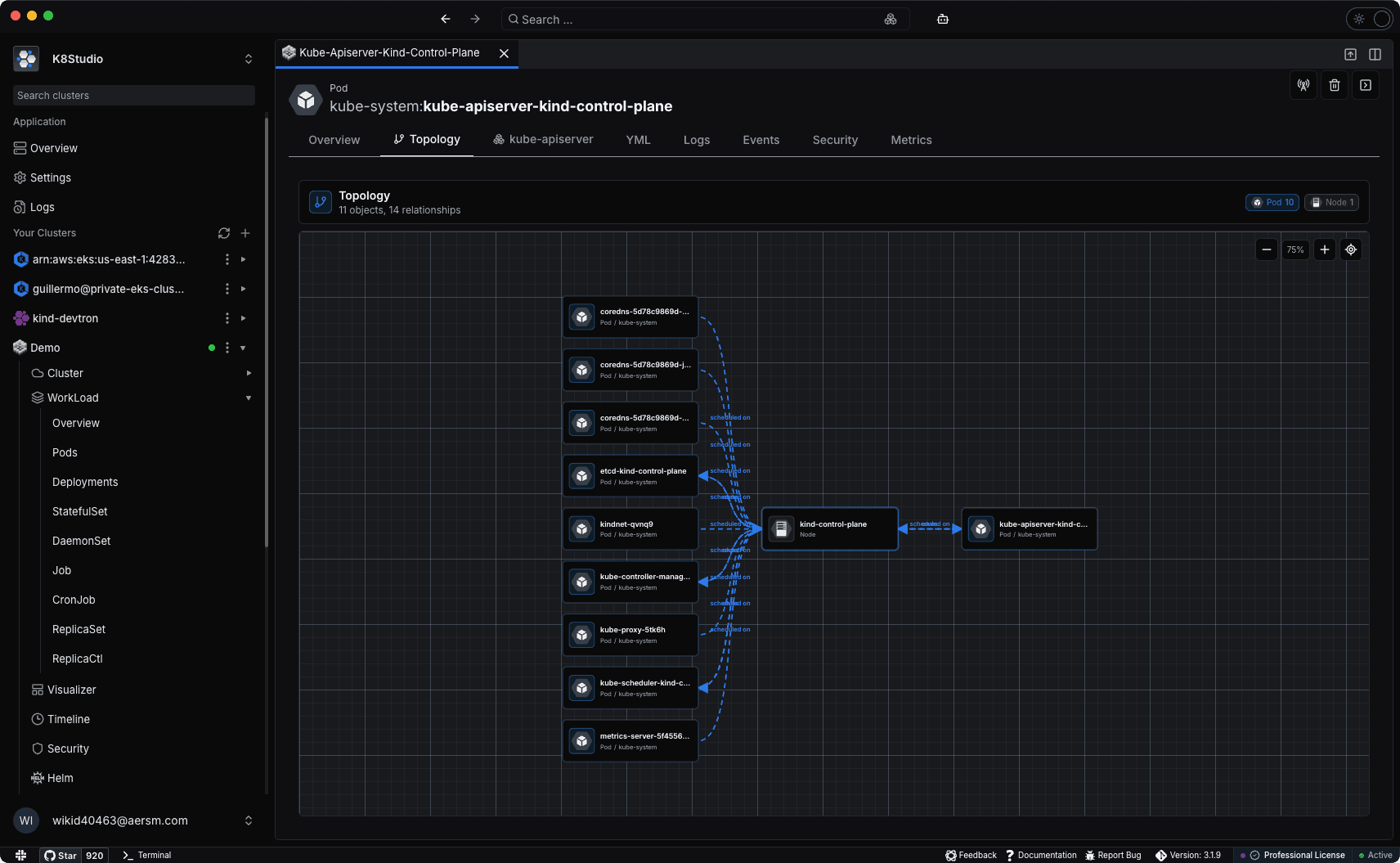
K8Studio 3.1.9 adds an Object Topology tab inside object detail views.
The idea is simple: open a Kubernetes object and see the nearby relationship graph without leaving the resource page.
For a Pod, that may include:
- Owner resources.
- The Node it is scheduled on.
- Related Services.
- Mounted ConfigMaps and Secrets.
- PersistentVolumeClaims.
For a Deployment, that may include:
- ReplicaSets.
- Pods.
- Services targeting those Pods.
- Configuration and storage dependencies used by the Pods.
Because the view is tied to the selected object, it is less noisy than a full-cluster map. It is meant to answer the local question first: what is connected to this thing?
Topology does not replace YAML
Topology is not a replacement for reading manifests. It is a faster way to know which manifests matter.
Once you see the relationship graph, you can inspect the exact YAML, events, logs, or metrics for the relevant object. The topology view gives you the path.
That is the real value: it reduces the time spent finding the next object to inspect.
Final thought
Kubernetes troubleshooting is often graph traversal disguised as command-line work.
You start at one object, follow owners, follow selectors, follow references, then follow events and logs. Object topology makes that graph visible.
For production clusters, that can make debugging, onboarding, security review, and change planning much easier. The less relationship state you keep in your head, the more attention you can spend on the actual problem.
About the author
Alex Kube
Alex Kube writes practical guides for Kubernetes operators, platform teams, and DevOps engineers evaluating cloud native tools.
Comments
Comments are moderated before they appear.
No approved comments yet. Start the discussion.
More from KubeThings
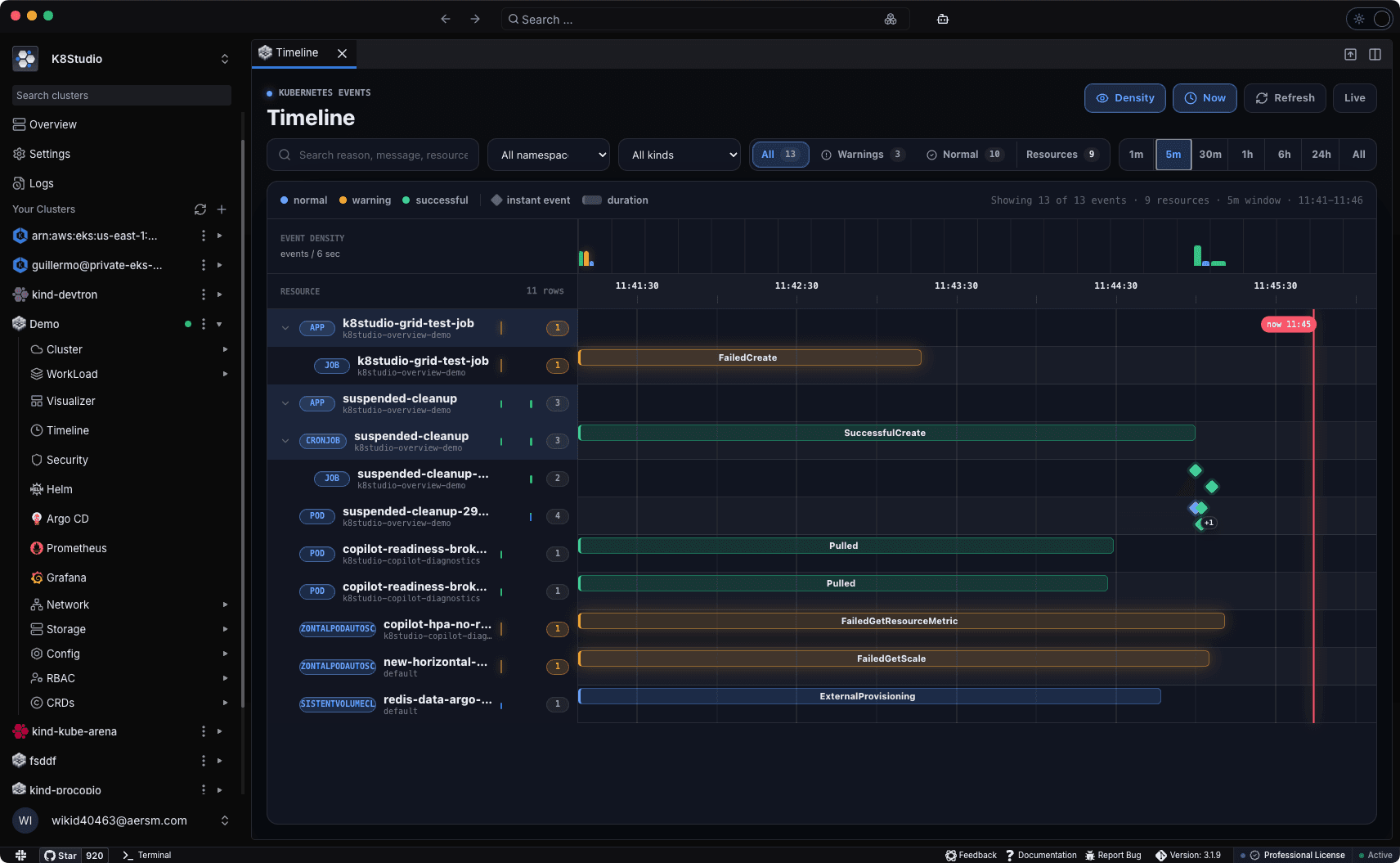
Kubernetes Events Timeline: Visual Debugging for Busy Clusters
Learn why Kubernetes events are hard to read as a flat list and how a visual timeline helps teams debug rollouts, warnings, scheduling failures, and repeated errors faster.
The Best Kubernetes Dashboards in 2026: Tested and Ranked
A practical comparison of Kubernetes dashboards after the official Dashboard retirement, covering K9s, Lens, OpenLens, Headlamp, Aptakube, K8Studio, Portainer, Rancher, KubeSphere, and Seabird.
Trivy
Great scanner. Loud defaults.
Trivy Is Overwhelming by Default. Here's How to Actually Use It.
Trivy is excellent, but its default output can be a vulnerability firehose. Learn how to filter unfixable CVEs, prioritize severity, and build CI gates people can actually use.