The Best Kubernetes Dashboards in 2026: Tested and Ranked
Something significant happened in January 2026 that most Kubernetes teams probably noticed in their GitHub notifications but did not fully register: the official Kubernetes Dashboard was archived. The repository moved to kubernetes-retired/dashboard, the Angular codebase that had frustrated maintainers for years was finally abandoned, and the Kubernetes SIG UI group officially pointed teams toward alternatives.
This matters because for years the Kubernetes Dashboard was the default answer to "how do we give our team visibility into the cluster?" It was the thing you installed on day one, the link you bookmarked, the tool you demo'd to managers. Its retirement closes a chapter and forces a real decision that many teams have been deferring: what dashboard do we actually use in 2026?
The answer is not obvious. The landscape has fragmented in interesting ways. Some teams have gone deep on terminal-based workflows with K9s. Others are running enterprise platforms like Portainer or Rancher. A growing number are on desktop IDEs that connect directly to their clusters. And a new category has emerged: dashboards with built-in security analysis, AI assistance, and DevSecOps tooling that reflect where the industry has moved since the original Kubernetes Dashboard was designed.
We spent time with the tools that matter most and put together the most thorough comparison we could. What follows covers ten dashboards in real depth - what they are, what they do well, where they fall short, and which teams they are genuinely the right fit for.
---
How We Evaluated
We evaluated each tool across six dimensions that reflect what actual DevOps, platform engineering, and DevSecOps teams care about in 2026:
Visual cluster management. Can you understand your cluster's state at a glance, or do you have to navigate through lists of resources? Does the tool give you a meaningful picture of the relationships between workloads, nodes, and namespaces?
Security and compliance features. Does the tool help you understand your cluster's security posture? RBAC visibility, vulnerability scanning integration, attack path analysis - these have moved from nice-to-have to expected in production environments.
Multi-cluster management. Most production organizations run more than one cluster. Can the tool handle multiple clusters cleanly in a single interface?
Operational depth. Logs, exec into containers, port forwarding, YAML editing, Helm management. Does the tool cover the full operational workflow or just the read-only view?
Architecture and data privacy. Does the tool require installing agents in your cluster? Does your cluster data leave your network? Does it work in air-gapped environments?
Accessibility and learning curve. Can a junior engineer on your team use it productively? Does it require deep Kubernetes knowledge to get value from, or does it surface the right information to users with different experience levels?
---
The Kubernetes Dashboard (Retired - January 2026)
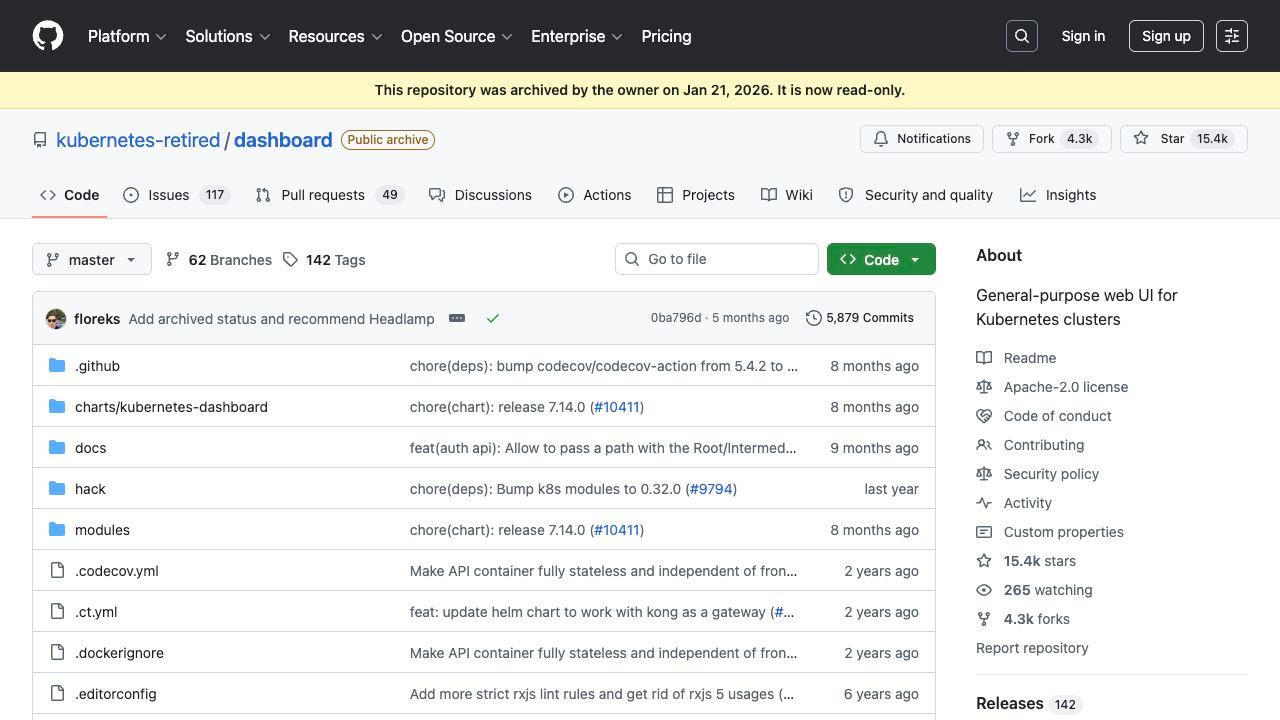
We start here because it is the baseline against which everything else is measured.
The official Kubernetes Dashboard was a web-based UI that gave you a view of your cluster's workloads, services, and resources through a browser. It was free, open source, and for many years it was the first thing teams installed after getting a cluster running.
Its limitations were well-known: no multi-cluster support, no Helm management, minimal RBAC tooling, no security analysis, and an Angular codebase that had become genuinely difficult to maintain. The UI felt frozen in 2018 while Kubernetes itself evolved rapidly around it.
In January 2026 the maintainers archived the project. The official recommendation from Kubernetes SIG UI is now Headlamp, which we cover below. Teams still running the legacy dashboard should migrate - it no longer receives security updates and will fall increasingly out of sync with modern Kubernetes versions.
Verdict: Retired. Do not use in new deployments. Migrate existing installations.
---
1. K9s - The Terminal Purist's Choice
Type: Terminal UI (TUI) Pricing: Free, open source (Apache 2.0) Platforms: macOS, Windows, Linux Agent required: No Website: k9scli.io
K9s is not a dashboard in the traditional sense - it is a terminal UI that gives you a keyboard-driven interface for navigating and managing your cluster. It is fast, it is free, and it is beloved by the kind of engineers who consider anything with a GUI to be a crutch.
If you are comfortable in the terminal, K9s is the fastest way to navigate Kubernetes resources available. You can tail logs from multiple pods simultaneously, exec into containers, delete resources, watch real-time status changes, and navigate the entire resource tree with a few keystrokes. Start-up time is near-instant and the memory footprint is minimal.
The plugin system lets you extend K9s with custom commands. Active teams have built plugins for common workflows - clearing evicted pods, restarting all pods in a deployment, triggering manual Helm upgrades.
What K9s does not do is equally important to understand. There is no visual cluster topology, no security analysis, no RBAC visualization, no Helm GUI, and no meaningful dashboarding for stakeholders who are not comfortable in a terminal. The learning curve is real - engineers unfamiliar with Kubernetes resource types will find K9s intimidating.
For senior engineers who live in the terminal, K9s is irreplaceable. For teams that need to share visibility with a broader audience, it is not the answer.
Strengths: Speed, keyboard efficiency, zero cost, air-gapped compatible, works anywhere kubectl works Weaknesses: Terminal-only, no visual topology, no security features, not suitable for less experienced users Best for: Senior DevOps engineers, power users, air-gapped CLI environments
---
2. Lens - The Original Kubernetes IDE
Type: Desktop GUI Pricing: Free tier available / Pro from $19.99/month Platforms: macOS, Windows, Linux Agent required: No Website: k8slens.dev
Lens was the first Kubernetes desktop IDE and for years it was the automatic answer to "what GUI should I use?" It is an Electron-based desktop application that gives you a rich interface for navigating cluster resources, viewing metrics, managing Helm releases, and inspecting workloads in detail.
The extension marketplace is Lens's strongest differentiator. There are extensions for OpenCost cost analysis, monitoring integrations, custom resource viewers, and more. Teams that have built workflows around Lens extensions have significant reasons to stay.
In 2023 Lens went commercial, introducing an account requirement and paywalling some features. This split the community and led directly to the creation of OpenLens. The account requirement means Lens cannot be used in air-gapped environments - it requires internet connectivity to authenticate.
What Lens does well: The resource browsing experience is the most polished in the desktop space. The built-in metrics integration with Prometheus is clean. Multi-cluster works, though it requires some setup. The extension ecosystem has real depth for teams willing to invest in it.
Where Lens falls short: The account requirement is a blocker for security-conscious teams and air-gapped environments. Some features that were free have moved to Pro. Electron-based performance is noticeable on lower-powered machines. Security and DevSecOps tooling is minimal without additional extensions.
Strengths: Best extension ecosystem, polished UI, strong community, active development Weaknesses: Account required (blocks air-gapped use), some features paywalled, heavier Electron app Best for: Teams already invested in the Lens extension ecosystem, connected environments without data sovereignty requirements
---
3. OpenLens - The Free Fork
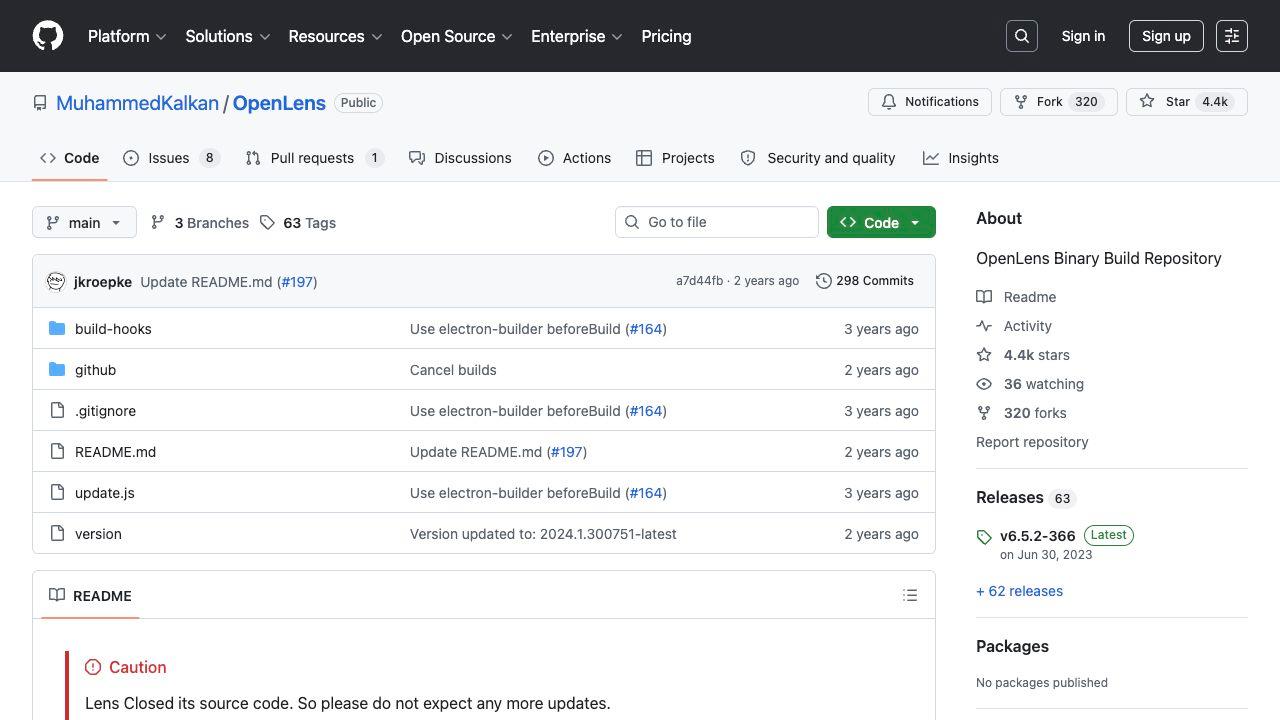
Type: Desktop GUI Pricing: Free (MIT license) Platforms: macOS, Windows, Linux Agent required: No Website: github.com/MuhammedKalkan/OpenLens
OpenLens is the community-maintained fork of Lens created after the commercialization. It gives you most of the core Lens experience without the account requirement, making it usable in air-gapped environments and removing the subscription overhead.
The tradeoff is development velocity. OpenLens lags behind Lens in feature development, receives updates less frequently, and some Lens extensions are not compatible with the fork. The community is real and the tool is functional, but it feels like it is catching up rather than moving forward.
For teams that need the Lens-style experience, value open source, and are not willing to pay the Pro subscription, OpenLens is the pragmatic choice. For teams choosing a dashboard without prior Lens investment, there are more actively developed options.
Strengths: Free, no account required, air-gapped capable, familiar to Lens users Weaknesses: Lags behind Lens in development, some Lens extensions incompatible, less active maintenance Best for: Teams moving off commercial Lens who need continuity without subscription cost
---
4. Headlamp - The Official Successor to Kubernetes Dashboard
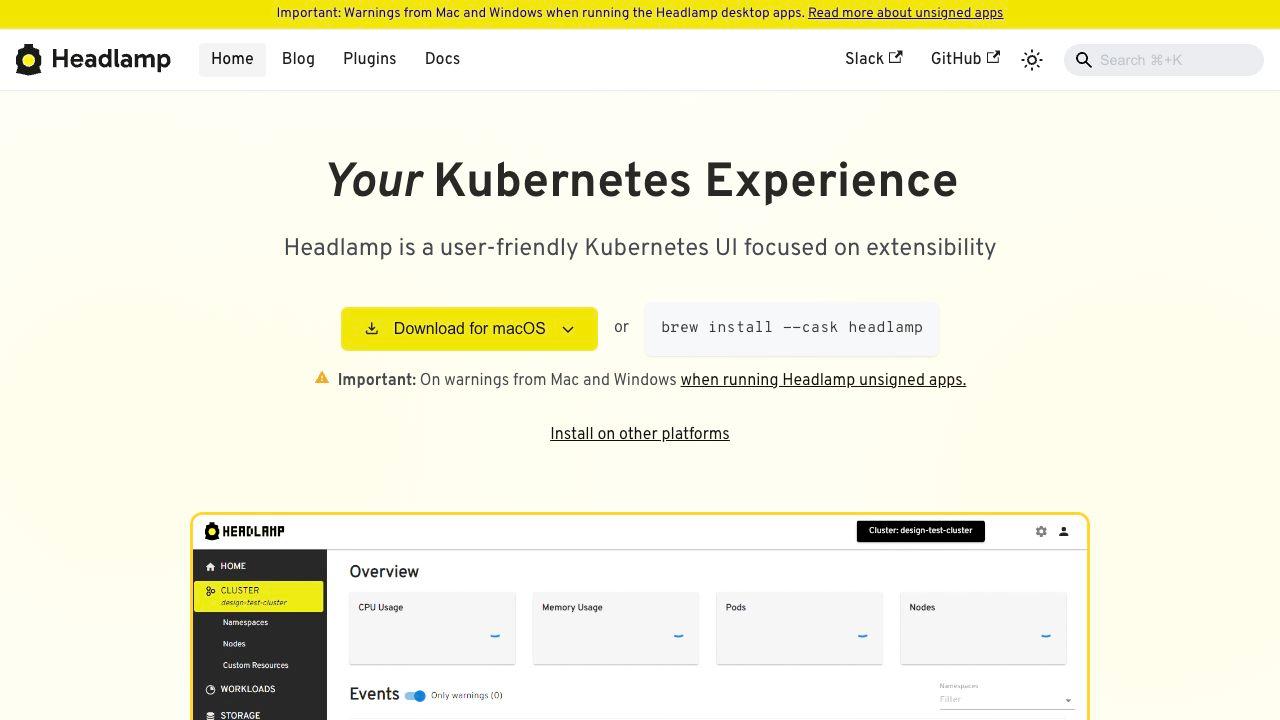
Type: Web-based UI (runs locally or in-cluster) Pricing: Free, open source (Apache 2.0) Platforms: Web browser (desktop app or in-cluster) Agent required: No Website: headlamp.dev
Headlamp is the Kubernetes SIG UI's official recommendation to replace the legacy Kubernetes Dashboard. It is a CNCF sandbox project originally built by Kinvolk (now part of Microsoft) and it addresses many of the original Dashboard's shortcomings.
The architecture is cleaner: Headlamp can run as a desktop application for local use or as an in-cluster web UI accessible by your team through a browser. It supports plugins, which allows teams to extend it with custom resource views and integrations. The UI is significantly more modern than the legacy Dashboard and it keeps pace with Kubernetes API evolution.
For teams that specifically need a web-based dashboard accessible in a browser - shared access, no desktop installation required - Headlamp is the most sensible free option. It does not require any in-cluster components when run as a desktop app, which keeps the architecture clean.
The honest limitation is depth. Headlamp provides a read-and-manage UI for core Kubernetes resources. It does not have Helm management, security analysis, RBAC visualization tools, or AI assistance out of the box. The plugin system helps, but plugins require development effort.
Strengths: Free, CNCF project, web-based access, actively maintained, clean architecture, officially recommended Weaknesses: Limited operational depth out of the box, no Helm GUI, no security analysis, plugins require development Best for: Teams migrating from the official Kubernetes Dashboard, shared browser-based access, simple cluster visibility
---
5. Aptakube - The Lightweight Desktop Alternative
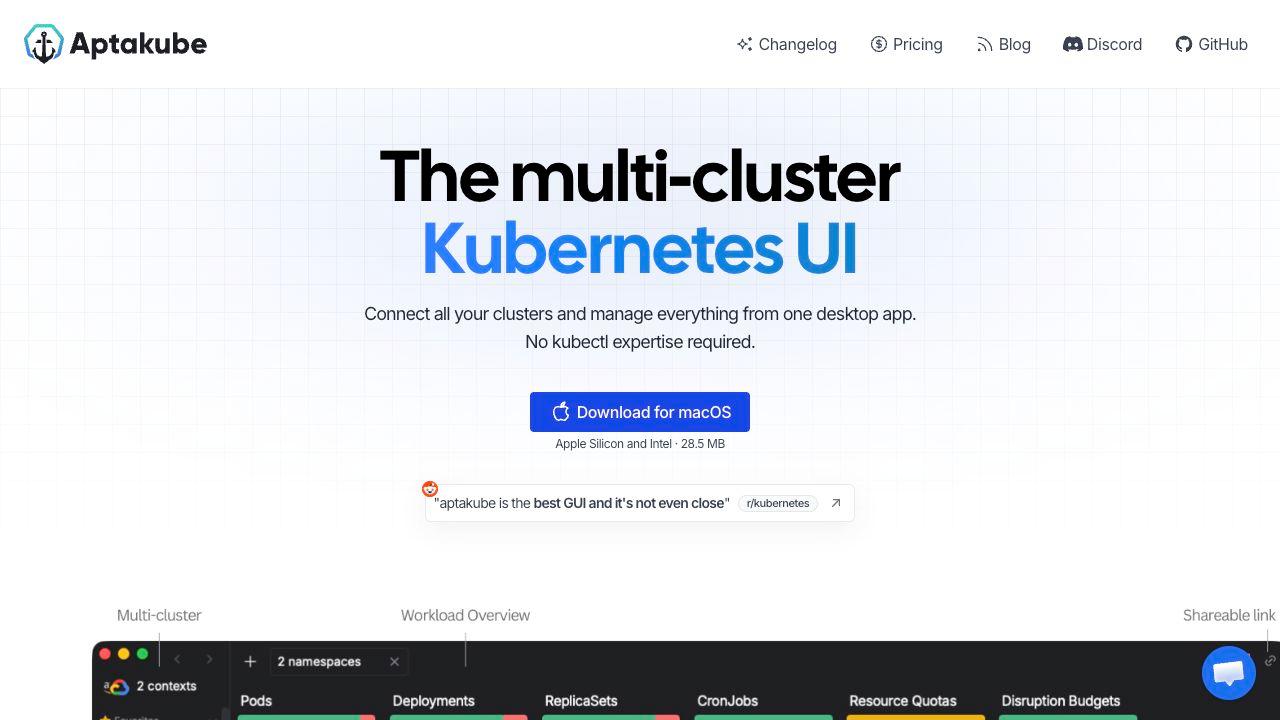
Type: Desktop GUI Pricing: From $4.99/month Platforms: macOS, Windows, Linux Agent required: No Website: aptakube.com
Aptakube is a newer desktop Kubernetes client built with Tauri rather than Electron. The technical choice matters: Tauri apps are substantially smaller and lighter than Electron apps, which means faster startup times and lower memory usage. On a MacBook with many browser tabs and development tools running, this difference is noticeable.
The multi-cluster experience is Aptakube's most polished feature. You can open multiple clusters side by side in a split view, which is genuinely useful when you need to compare configuration between environments or check that a deployment rolled out consistently across regions.
What Aptakube trades for its lightness is feature depth. It does not have security analysis, RBAC management tooling, Helm GUI, or AI assistance. It is a clean, fast browser for Kubernetes resources rather than a full management platform.
For engineers who want a lightweight alternative to the heavier Electron-based tools and primarily need to navigate and inspect resources across multiple clusters, Aptakube delivers that experience well.
Strengths: Lightweight (Tauri-based), fast, clean UI, good multi-cluster side-by-side view Weaknesses: Limited feature set, no security tooling, no Helm GUI, no AI features, smaller community Best for: Engineers who want a lightweight desktop client for multi-cluster navigation
---
6. K8Studio 3.1.7 - The Integrated DevOps and DevSecOps IDE
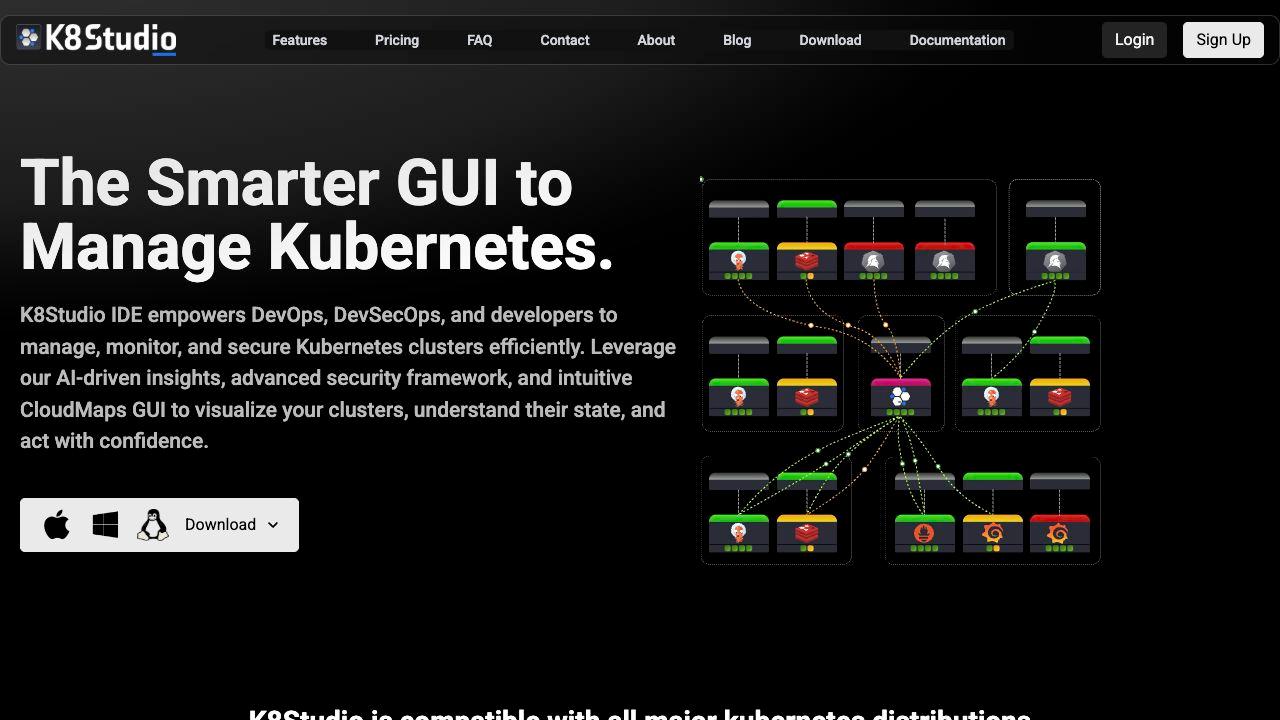
Type: Desktop GUI / IDE Pricing: Basic $9/month - Professional $17/month - Professional Airtight $187/year Platforms: macOS, Windows, Linux Agent required: No Current stable version: 3.1.7 Website: k8studio.io
K8Studio takes a different approach than most tools in this list. Where Lens and Aptakube are focused on cluster resource management, and where Portainer and Rancher are focused on multi-cluster governance, K8Studio is built around the premise that the Kubernetes management tool should be the central workspace for the engineer's entire workflow - from visual cluster exploration through debugging, security analysis, RBAC management, and AI-assisted troubleshooting.
Version 3.1.7 is the current stable release in the V3 line and represents the most mature iteration of this vision.
CloudMaps - Visual Cluster Intelligence
The standout feature that no other tool in this comparison has is CloudMaps. Rather than presenting your cluster as a list of resources in a table - which is what every other tool, including Lens, does at the base level - CloudMaps renders an interactive, real-time visual map of your entire cluster topology.
You can see nodes, workloads, namespaces, services, and their relationships laid out spatially. Color coding and heatmaps surface resource pressure, health status, and anomalies at a glance. Clicking into any element drills down to detailed resource information. For understanding the structure of a complex cluster, CloudMaps reduces the time to comprehension dramatically.
This is not a static diagram. It updates in real time as pods scale, services change, and deployments roll out. Watching a deployment update propagate through CloudMaps is one of those "oh, this is how it actually works" moments that makes Kubernetes more approachable to engineers still building their mental model.
DevSec View - Security Built Into the Workflow
Most Kubernetes management tools treat security as an external concern - you run a separate scanner, pipe results to a separate dashboard, and hope someone looks at it. K8Studio integrates security analysis directly into the cluster management workflow through DevSec View.
DevSec View visualizes your cluster's security posture, identifies misconfigurations, surfaces potential attack paths, and helps you understand which vulnerabilities represent real entry points versus theoretical risks. The integration with the cluster state means security findings are contextualized against what is actually running - not a static scan of images in a registry.
For DevSecOps teams specifically, this integration changes the workflow. Instead of switching between a cluster management tool and a separate security dashboard, security context is available inline as you work.
RBAC Management - Beyond Read-Only
Every tool in this comparison can show you RBAC information. K8Studio lets you manage it. The RBAC view gives you a complete picture of roles, bindings, and effective permissions, with the ability to create, edit, and audit access control from within the dashboard rather than falling back to kubectl apply for every change.
The permissions debugging view is particularly useful: given a service account or user, you can see exactly what they can and cannot do in the cluster. This is the kind of tooling that saves hours during access control audits and onboarding workflows.
AI Copilot - Contextual, Not Generic
The AI Copilot in K8Studio 3.1.7 is aware of your current workspace context. When you are looking at a failing pod, the copilot analyzes the logs, the resource definition, and the events together and surfaces a diagnosis. When you are editing YAML, it suggests fixes based on the specific resource type. When reviewing a deployment, it can answer questions about that deployment's configuration and history.
The difference between this and asking ChatGPT about a Kubernetes problem is context. The copilot has access to your actual cluster state, not a generic description of a problem.
Helm Management
K8Studio includes a full Helm GUI for managing releases across your clusters. You can install charts from repositories, upgrade releases, view release history, roll back to previous versions, and inspect the manifests a release produces - all within the same tool as your cluster management.
Advanced Log Viewer
The log viewer goes beyond basic pod log display. You can stream logs from multiple pods simultaneously, filter by content, search across log history, and correlate logs across distributed services. For debugging distributed systems, being able to hold multiple log streams in view at once in a structured interface is meaningfully better than running parallel kubectl logs -f commands.
Air-Gapped Support
Professional Airtight is the plan designed for teams with strict data sovereignty, compliance, or connectivity requirements. K8Studio 3.1.7 in Airtight mode runs entirely offline after installation - no license check, no telemetry, no update pings, no external calls of any kind. The full feature set operates locally.
This makes K8Studio the only full-featured Kubernetes desktop IDE that is genuinely viable in classified, air-gapped, or offline-only environments. For defense contractors, regulated financial services, and healthcare organizations running secure environments, Airtight is a meaningful differentiator.
What K8Studio 3.1.7 Does Not Do
Fairness requires acknowledging the limitations. K8Studio is a paid tool - the free trial lasts 15 days and then you need a subscription. Teams looking for a zero-cost solution will find the pricing a consideration.
It is also not a cluster provisioning or lifecycle management platform. If you need to create and destroy clusters as part of your workflow, Rancher handles that; K8Studio assumes you have clusters and helps you work in them.
The community is smaller than Lens or K9s, which means less third-party content and fewer community integrations. And because it is a desktop application, it requires installation - teams that want browser-based shared access will find Headlamp or Portainer more suitable.
Strengths: CloudMaps visual topology (unique in the market), integrated security analysis, contextual AI copilot, full RBAC management, Helm GUI, advanced logging, air-gapped support, agent-free Weaknesses: Paid product (no permanent free tier), desktop-only (no web access), smaller community than Lens/K9s, no cluster provisioning Best for: DevOps and DevSecOps teams that want an integrated workspace for cluster management, security analysis, and operational workflows in a single tool
---
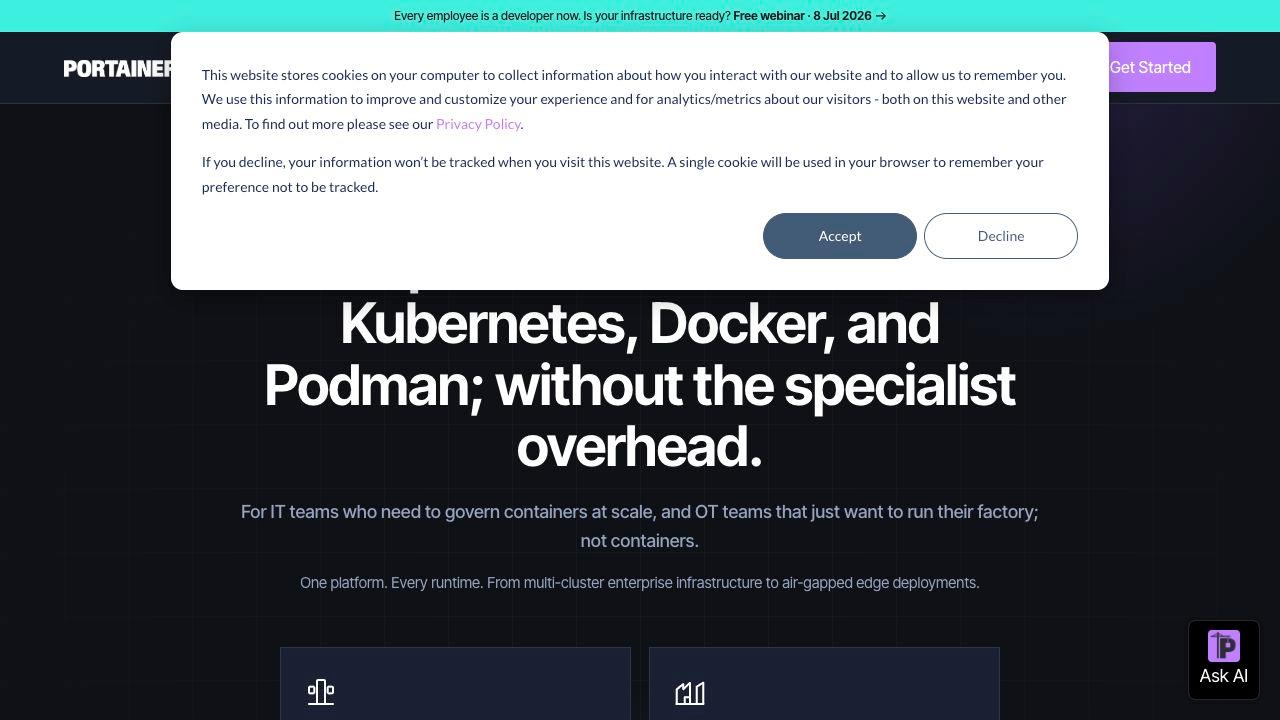
7. Portainer - The Platform for Multi-Runtime Management
Type: Web-based platform Pricing: Free (Community) / Business from $5/node/month Platforms: Web browser (self-hosted) Agent required: Yes Website: portainer.io
Portainer started as a Docker management UI and has evolved into a multi-runtime platform that handles Docker, Docker Swarm, Kubernetes, and Nomad from a single interface. If your organization runs mixed container environments, Portainer's unified approach has real value.
For pure Kubernetes environments, Portainer's strength is access management and team-based governance. You can create environments, assign teams, and control who can do what across your clusters through a well-built RBAC system. The Business tier adds full RBAC, SSO integration, and compliance reporting.
The honest tradeoff: Portainer requires an agent. The Portainer agent runs as a DaemonSet in your cluster and connects back to the Portainer server. In air-gapped environments this requires additional configuration. For security-sensitive organizations where cluster data leaving the node-level is a concern, the agent model warrants scrutiny.
Kubernetes-specific features are also less mature than Docker features. Helm management is present but basic, and the debugging and operational workflow tools feel less polished than dedicated Kubernetes tools.
Strengths: Excellent for mixed Docker/Kubernetes environments, strong team access management, active commercial development Weaknesses: Agent required, Kubernetes support secondary to Docker, less polished for Kubernetes-specific workflows Best for: Organizations running mixed Docker and Kubernetes environments that need unified access management
---
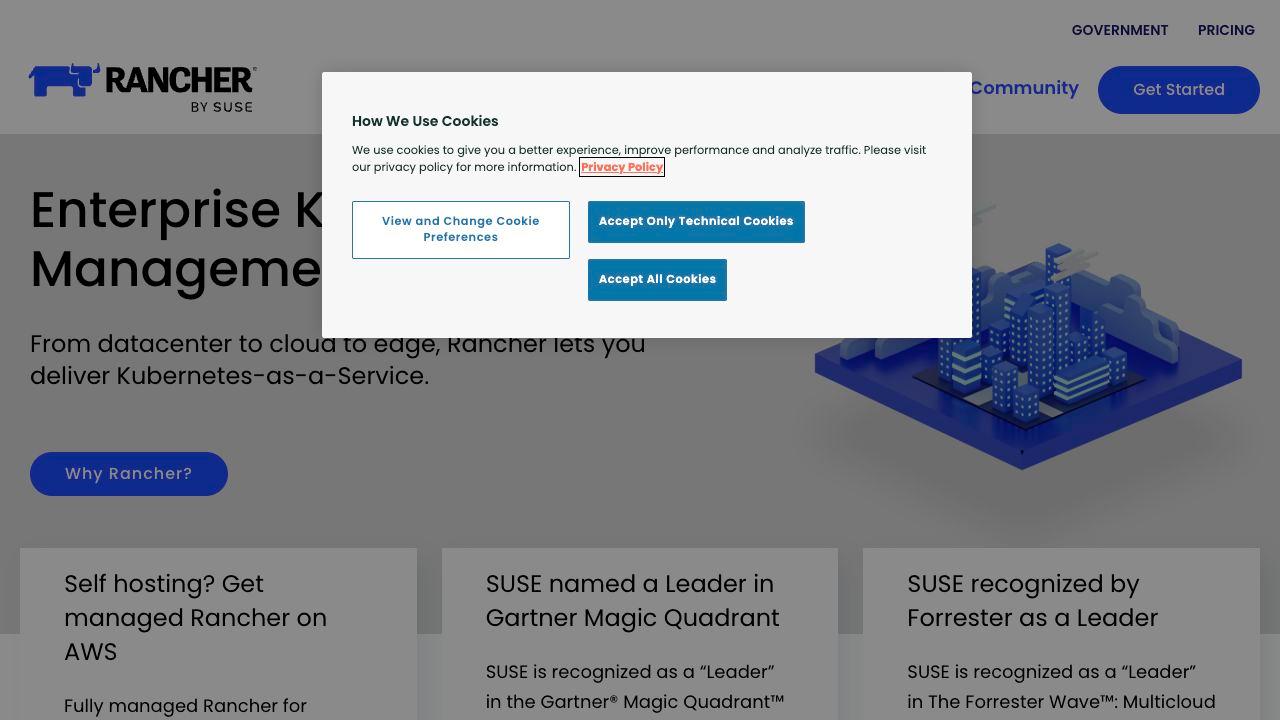
8. Rancher - Enterprise Multi-Cluster Management
Type: Web-based platform Pricing: Free (open source) / Enterprise support from SUSE Platforms: Web browser (self-hosted) Agent required: Yes Website: rancher.com
Rancher is SUSE's enterprise-grade multi-cluster Kubernetes management platform. At its best, it is the most comprehensive tool for organizations managing dozens or hundreds of clusters across multiple cloud providers and on-premises environments at scale.
The feature breadth is impressive: cluster provisioning and lifecycle management, centralized RBAC across all clusters, integrated monitoring with Prometheus, network policy management, application catalog, and a Continuous Delivery module. For enterprise platform teams responsible for the full Kubernetes infrastructure, Rancher provides governance capabilities that no desktop tool can match.
The installation and operational overhead reflect that scope. Rancher is not something you stand up in ten minutes - it runs its own set of infrastructure components, requires its own persistent storage, and has a meaningful learning curve.
For teams managing five or fewer clusters and focused on daily operational workflows, Rancher is more than what is needed. For platform teams responsible for cluster infrastructure across a large organization, it is purpose-built for that role.
Strengths: Unmatched multi-cluster governance at scale, cluster provisioning and lifecycle management, enterprise-grade access control, strong SUSE backing Weaknesses: Significant operational overhead, agent-based, overkill for small to medium teams Best for: Enterprise platform teams managing Kubernetes infrastructure at organizational scale
---
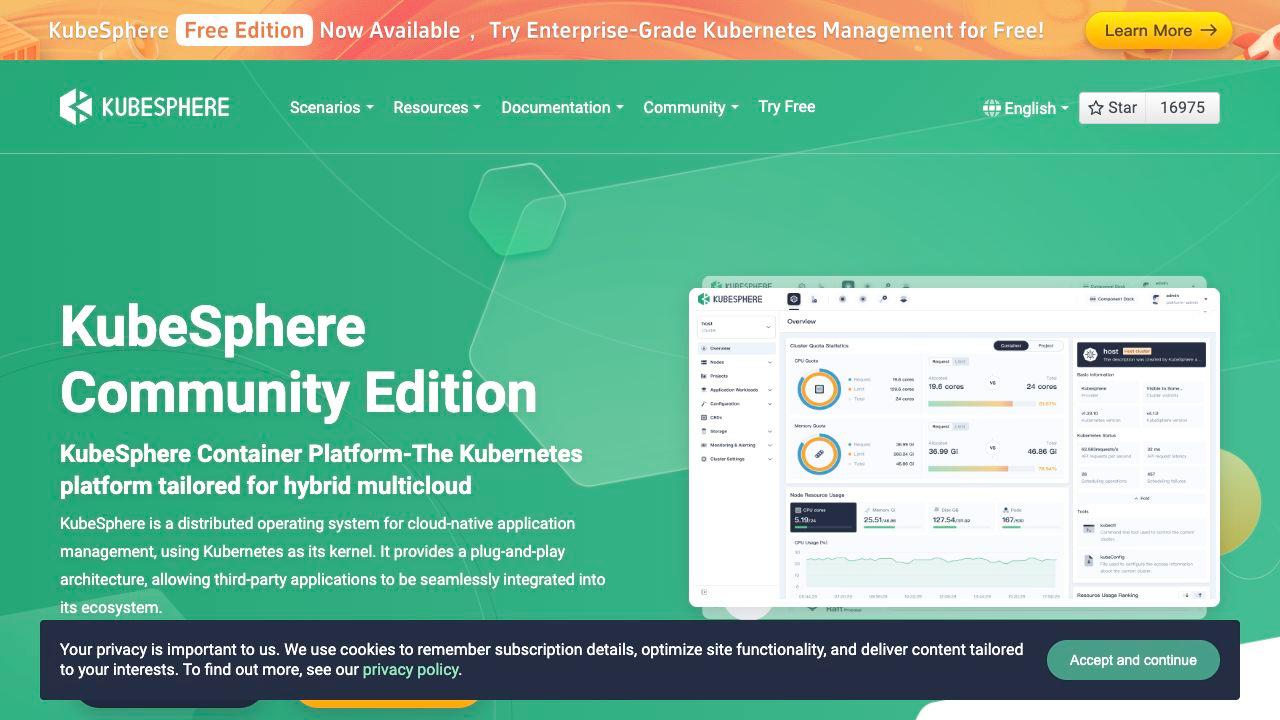
9. KubeSphere - The Full Application Platform
Type: Web-based platform Pricing: Free (open source) / Enterprise support available Platforms: Web browser (runs in-cluster) Agent required: Yes Website: kubesphere.io
KubeSphere is a complete application platform built on top of Kubernetes rather than just a management UI for it. It includes DevOps pipelines, service mesh integration, application store, logging and monitoring, and multi-tenancy support in addition to cluster management.
If your team needs an integrated platform that handles the full application lifecycle from CI/CD through deployment and observability, KubeSphere covers that breadth. It is particularly popular in Asia-Pacific markets and organizations that want to provide a self-service Kubernetes platform to development teams.
The complexity is proportional to the scope. KubeSphere installs a significant amount of infrastructure into your cluster and takes meaningful time to configure correctly. For teams that primarily need a cluster management UI, it is far heavier than necessary.
Strengths: Complete application platform, multi-tenancy, DevOps integration, observability included Weaknesses: Heavy installation footprint, complex to operate, more than needed for cluster management workflows Best for: Organizations building an internal developer platform on Kubernetes
---
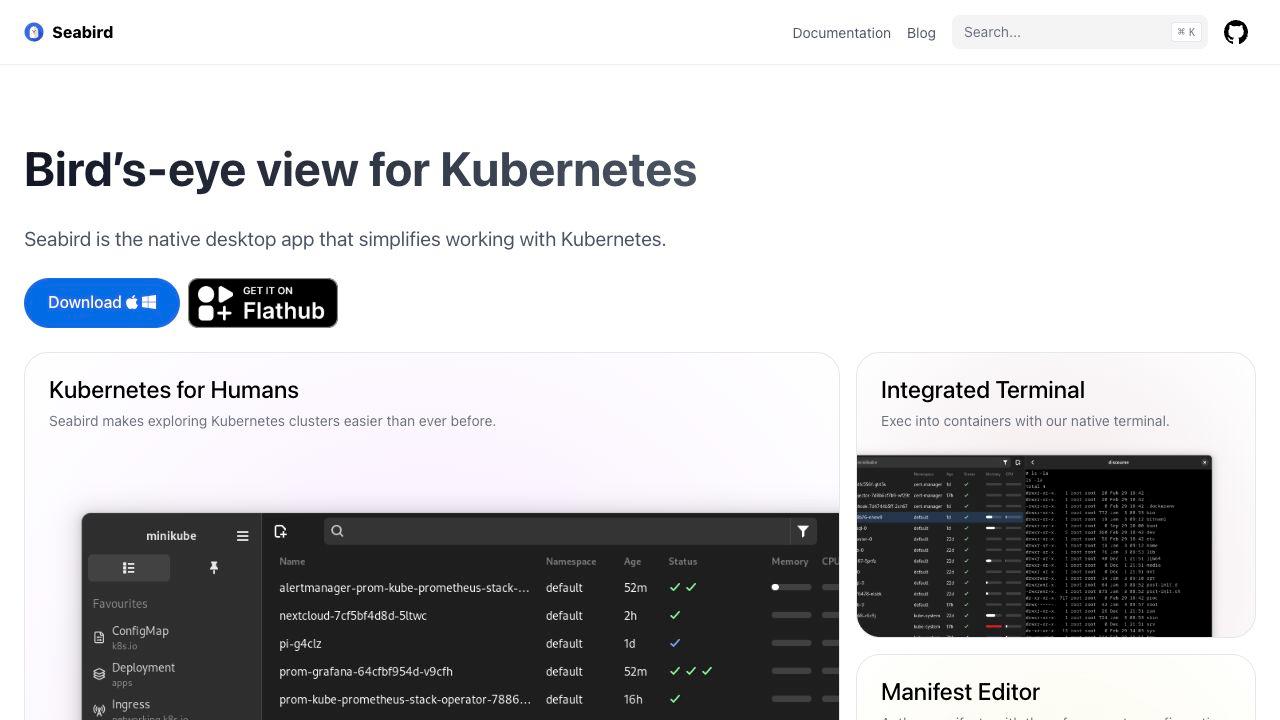
10. Seabird - The Native Desktop Minimalist
Type: Desktop GUI Pricing: Free Platforms: macOS, Windows, Linux Agent required: No Website: getseabird.github.io
Seabird is a native cross-platform desktop client focused on simplicity. It deliberately avoids Electron in favor of native UI frameworks, which gives it a very small footprint and native look-and-feel on each platform.
The design philosophy is minimalist: Seabird provides clean resource browsing and basic management without trying to be a full platform. It loads quickly, respects your system's design language, and stays out of the way.
What you give up for the simplicity is operational depth. Seabird does not have Helm management, security analysis, AI assistance, or advanced log tooling. For engineers who want a quick, native way to browse cluster state without installing a heavy desktop IDE, it fills that niche well.
Strengths: Truly native UI, minimal footprint, free, simple to install Weaknesses: Limited feature set, no advanced management tools Best for: Engineers who want the lightest possible desktop client for basic cluster browsing
---
Side-by-Side Comparison
| Feature | K9s | Lens | OpenLens | Headlamp | Aptakube | K8Studio 3.1.7 | Portainer | Rancher |
|---|---|---|---|---|---|---|---|---|
| Type | TUI | Desktop | Desktop | Web | Desktop | Desktop | Web | Web |
| Price | Free | Freemium | Free | Free | $4.99/mo+ | $9/mo+ | Free/Paid | Free/Paid |
| Visual topology | No | No | No | No | No | Yes (CloudMaps) | No | No |
| Security analysis | No | No | No | No | No | Yes (DevSec View) | Limited | Limited |
| RBAC management | Limited | View | View | View | View | Full | Yes | Yes |
| Helm GUI | No | Yes | Yes | No | No | Yes | Limited | Yes |
| AI assistance | No | No | No | No | No | Yes | No | No |
| Multi-cluster | Yes | Yes | Yes | Limited | Yes | Yes | Yes | Yes |
| Agent required | No | No | No | No | No | No | Yes | Yes |
| Air-gapped | Yes | No | Partial | Yes | No | Yes (Airtight) | Partial | Partial |
| Log viewer | Basic | Basic | Basic | Basic | Basic | Advanced | Basic | Basic |
---
Which Dashboard Is Right for Your Team
If you are a power user who lives in the terminal: K9s. Nothing else is faster or more efficient for engineers who are most at home with keyboard-driven workflows.
If you need a free browser-based option: Headlamp. It is the official recommendation, actively maintained, and covers core cluster visibility without any cost.
If you are on Lens and do not want to pay: OpenLens. Continuity without the subscription, with the understanding that it lags in development.
If you run mixed Docker and Kubernetes environments: Portainer. Its multi-runtime management and team governance features are well-designed for this specific situation.
If you manage Kubernetes infrastructure at organizational scale: Rancher. The cluster lifecycle management and enterprise governance capabilities are in a different category from the desktop tools.
If you want the lightest possible desktop client: Aptakube or Seabird. Tauri-based and native respectively, they deliver fast, clean resource browsing with minimal overhead.
If you are a DevOps or DevSecOps team managing production Kubernetes workloads and want a single integrated workspace: K8Studio 3.1.7. The combination of CloudMaps visualization, integrated security analysis, RBAC management, AI assistance, and Helm management in one agent-free desktop tool covers the most complete operational workflow of any option in this list.
---
Our Take
The retirement of the official Kubernetes Dashboard is a moment to make a deliberate choice rather than defaulting to whatever was installed before. The right choice depends heavily on your team's context.
For pure operational efficiency among experienced engineers, K9s remains unbeatable. For teams that need browser-based shared access with minimal setup, Headlamp does the job cleanly. For enterprise infrastructure management at scale, Rancher is the purpose-built option.
For the largest category of teams - DevOps and DevSecOps teams managing production Kubernetes workloads who want their management tool to reflect how the industry has matured - K8Studio 3.1.7 stands out. The CloudMaps topology view is genuinely novel and useful in a way that makes you wonder why every Kubernetes tool does not have it. The integrated security analysis changes how security fits into the daily workflow rather than remaining a separate, asynchronous process. The AI copilot, operating with actual cluster context rather than generic knowledge, is noticeably more useful than asking a general-purpose AI model about a problem.
The 15-day trial is worth using to form your own opinion. The criteria that matter most - visual topology, security integration, operational depth - are things you need to experience in your own cluster against your own workloads to fully evaluate.
---
Frequently Asked Questions
What is the best Kubernetes dashboard in 2026? The best Kubernetes dashboard in 2026 depends on your use case. K8Studio 3.1.7 is the most feature-complete desktop option for DevOps and DevSecOps teams, offering visual cluster topology (CloudMaps), integrated security analysis, RBAC management, and AI assistance. K9s is the best for terminal-focused power users. Headlamp is the best free browser-based option. Rancher is the best for enterprise-scale cluster management.
Is the official Kubernetes Dashboard still maintained? No. The official Kubernetes Dashboard was archived in January 2026 and moved to kubernetes-retired/dashboard. It no longer receives security updates, bug fixes, or new features. The Kubernetes SIG UI officially recommends Headlamp as its replacement.
What replaced the Kubernetes Dashboard? Headlamp is the officially recommended replacement for the Kubernetes Dashboard by the Kubernetes SIG UI group. It is an open-source CNCF sandbox project with a modern architecture, plugin support, and active development. Desktop IDEs like K8Studio, Lens, and Aptakube are also popular alternatives depending on use case.
What is K8Studio CloudMaps? CloudMaps is K8Studio's interactive visual cluster topology feature. It renders your Kubernetes cluster as a real-time visual map showing nodes, workloads, namespaces, services, and their relationships, with color-coding and heatmaps that surface resource pressure and health status. It is unique among Kubernetes management tools in providing this level of visual cluster intelligence.
Which Kubernetes dashboard works in air-gapped environments? K8Studio Professional Airtight and K9s both work in fully air-gapped environments. K8Studio Airtight runs with no internet connectivity required after installation, including all features. K9s operates entirely through the Kubernetes API with no external calls. Headlamp also works in air-gapped environments when run as an in-cluster web UI. Lens requires internet connectivity for account authentication and cannot be used in air-gapped setups.
Does Kubernetes have a free GUI? Yes. K9s, Headlamp, OpenLens, and Seabird are all free. K9s is a terminal-based UI. Headlamp is a web-based UI. OpenLens and Seabird are desktop applications. K8Studio, Lens, and Aptakube are paid tools with free trials.
What Kubernetes dashboard is best for DevSecOps teams? K8Studio 3.1.7 is the best Kubernetes dashboard for DevSecOps teams. It includes built-in security analysis (DevSec View), attack path visualization, RBAC management, and vulnerability context within the cluster management workflow - rather than requiring a separate security tool. Its agent-free architecture also means cluster data does not leave your network.
Which Kubernetes dashboards require no agent? K9s, K8Studio, Lens, OpenLens, Aptakube, Headlamp, and Seabird are all agent-free - they connect via kubeconfig with no in-cluster components required. Portainer, Rancher, and KubeSphere require agents or in-cluster components.
---
*Published on kubethings.com - the community resource for Kubernetes tooling.* *Have a tool to add or a correction to suggest? Submit it ->*
About the author
Alex Kube
Alex Kube writes practical guides for Kubernetes operators, platform teams, and DevOps engineers evaluating cloud native tools.
Comments
Comments are moderated before they appear.
No approved comments yet. Start the discussion.
More from KubeThings
Trivy
Great scanner. Loud defaults.
Trivy Is Overwhelming by Default. Here's How to Actually Use It.
Trivy is excellent, but its default output can be a vulnerability firehose. Learn how to filter unfixable CVEs, prioritize severity, and build CI gates people can actually use.
KEDA: A Practical Guide to Event-Driven Autoscaling in Kubernetes
Learn how KEDA extends Kubernetes autoscaling with event-driven triggers, scale-to-zero behavior, ScaledObjects, ScaledJobs, and real-world examples for RabbitMQ, SQS, Kafka, and cron.
OpenCost: The Complete Guide to Kubernetes Cost Monitoring
A practical guide to OpenCost: what it is, how it works, how to install it, where it shines, where it falls short, and how it compares to Kubecost.