OpenCost: The Complete Guide to Kubernetes Cost Monitoring
Kubernetes makes it easy to scale. It also makes it surprisingly easy to lose track of what you're spending. Pods spin up, nodes autoscale, namespaces multiply - and before long the cloud bill is a mystery that nobody on the team can explain with confidence.
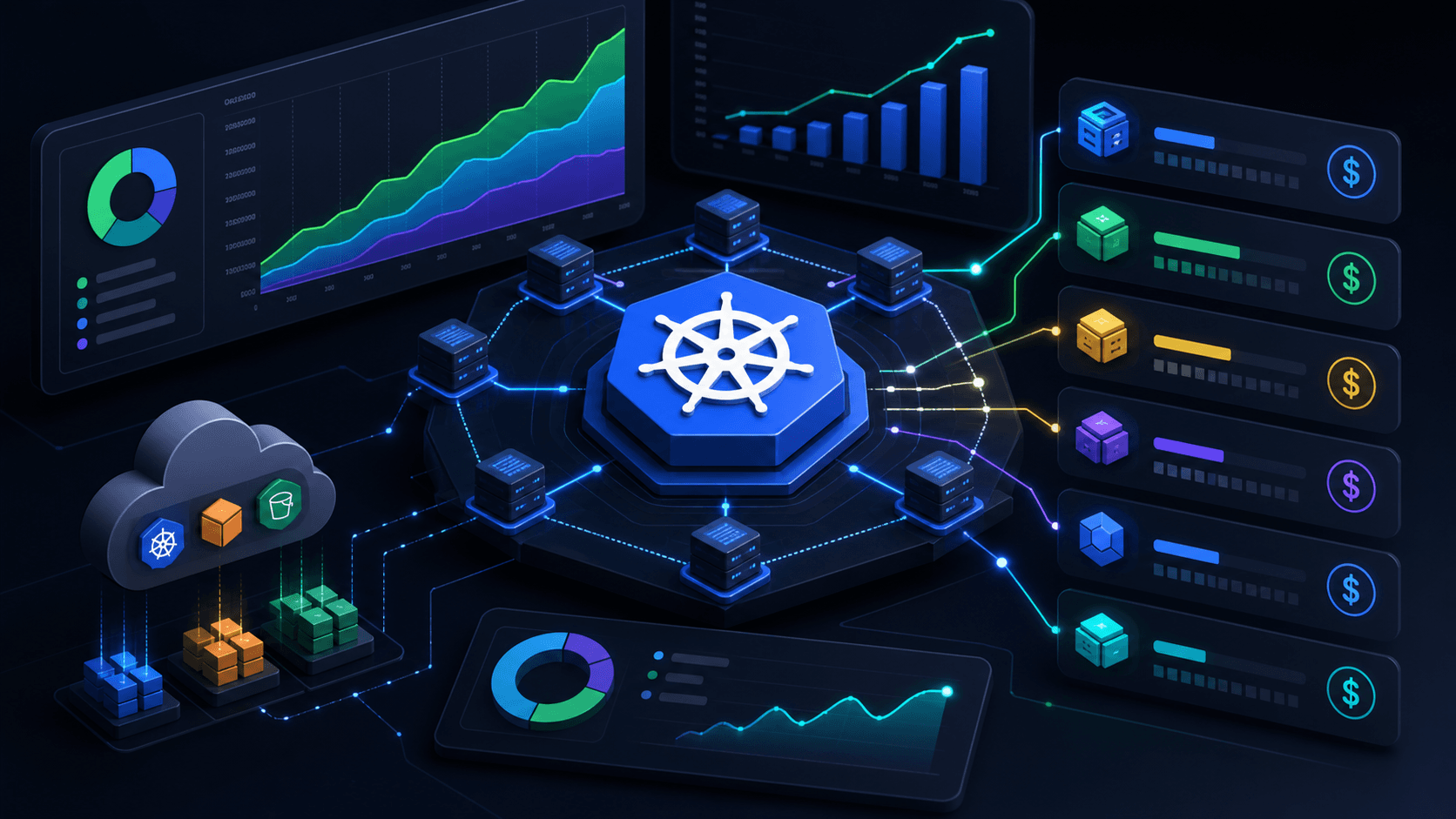
OpenCost is the open source answer to that problem. It is a vendor-neutral cost monitoring tool built specifically for Kubernetes that shows you exactly what your workloads cost, broken down by namespace, deployment, pod, service, or any label you choose. It is a CNCF incubating project, free to use, and designed to run inside your cluster with no data leaving your infrastructure.
This guide covers everything you need to know about OpenCost: what it is, how it works under the hood, how to install it, what it does well, where its limits are, and how it compares to commercial alternatives.
What Is OpenCost?
OpenCost is an open source Kubernetes cost allocation engine. It monitors your cluster's resource consumption in real time and maps that consumption to actual cloud costs, letting you see exactly what each team, application, or environment is spending.
It was originally built by the team at Kubecost and donated to the Cloud Native Computing Foundation in December 2022, where it became a CNCF sandbox project. It has since been promoted to incubating status, which reflects its growing adoption and maturity within the cloud native ecosystem.
The core problem OpenCost solves is attribution. A Kubernetes cluster is a shared pool of compute - multiple teams, applications, and environments share the same nodes. The cloud bill tells you the total cost of the nodes. It does not tell you how much of that cost belongs to the payments team's microservice versus the data pipeline versus the staging environment. OpenCost bridges that gap by allocating node costs to the workloads running on them, proportional to the CPU and memory they consume.
OpenCost is not a FinOps platform. It does not make recommendations, it does not enforce budgets, and it does not have rich governance features out of the box. What it does is provide accurate, real-time cost data through an API and a basic UI, which you can then use to build dashboards, trigger alerts, or feed into other tools.
How OpenCost Works
OpenCost works by combining two data sources: Kubernetes resource metrics and cloud provider pricing.
Kubernetes Resource Metrics
OpenCost scrapes metrics from Prometheus to understand how much CPU and memory each pod is requesting and consuming over time. It uses these metrics to calculate each workload's share of the underlying node's resources.
The allocation logic works as follows: if a node costs $0.50 per hour and a pod is consuming 25% of that node's CPU and memory, OpenCost attributes $0.125 per hour to that pod. It does this for every pod in every namespace across every node in your cluster, continuously.
OpenCost tracks both resource requests, what a pod has reserved, and actual usage, what it is consuming. Both matter for cost attribution because requested resources affect scheduling and node sizing, while actual usage reflects real consumption.
Cloud Provider Pricing
To translate resource consumption into dollar amounts, OpenCost needs to know what each node actually costs. It integrates directly with cloud provider pricing APIs to fetch on-demand instance prices for the nodes in your cluster.
It supports AWS, Azure, GCP, Alibaba Cloud, Oracle Cloud, Scaleway, and Open Telekom Cloud, plus a custom CSV pricing option for on-premises or non-standard environments.
For cloud-hosted clusters, OpenCost automatically detects your cloud provider at runtime and pulls the appropriate pricing data. For on-premises clusters, you provide a custom pricing model through a configuration file.
The Allocation Model
OpenCost allocates costs across several dimensions:
Node costs are broken down by CPU, RAM, GPU, and storage, then attributed to pods based on their resource requests and usage.
Namespace costs aggregate the costs of all pods running in a given namespace, giving teams a clear view of their spend.
Workload costs like deployments, DaemonSets, StatefulSets, and Jobs roll up pod costs to the controller level, so you can see what a specific application costs rather than having to sum individual pods.
Label-based costs let you group and filter by any Kubernetes label, including team, environment, cost center, or anything else you use in your labeling strategy.
Shared costs handle cluster-level overhead that cannot be attributed to specific workloads: system pods, monitoring infrastructure, and idle capacity. OpenCost gives you configurable options for how to handle and distribute these costs.
Data Storage
OpenCost stores cost data in Prometheus. This means your existing Prometheus setup can serve as the storage backend with no additional infrastructure required. Historical data retention follows your Prometheus retention settings.
For longer retention periods or more complex querying needs, OpenCost can be configured to write data to object storage, enabling cost history going back months or years.
Architecture
OpenCost runs as a Deployment inside your Kubernetes cluster. It has two main components: the cost model server and the UI.
The cost model server is the core engine. It runs as a Go binary that scrapes Prometheus for resource metrics, fetches pricing data from your cloud provider, computes cost allocations, and exposes the results through a REST API on port 9003.
The OpenCost UI is a lightweight web interface that runs on port 9090. It provides a basic dashboard for exploring costs by namespace, deployment, service, and label. The UI is useful for getting started and for quick investigations, but most teams end up building Grafana dashboards on top of the OpenCost API for production monitoring.
The architecture looks like this:
Cloud Provider Pricing API
         |
         v
  OpenCost Cost Model  <---  Prometheus (resource metrics)
         |
    REST API (:9003)
         |
    OpenCost UI (:9090)  or  Grafana dashboards
OpenCost does not require an agent, DaemonSet, or any cluster-side installation beyond the deployment itself and its Prometheus dependency. It reads data from the Kubernetes API and Prometheus, with no persistent hooks into your workloads.
Installing OpenCost
OpenCost is installed via Helm. The standalone Kubernetes manifest approach has been deprecated. Helm is now the only supported installation method.
Prerequisites
Before installing OpenCost you need:
- Kubernetes 1.21 or higher
- Prometheus running in your cluster because OpenCost requires it as a data source
- Helm 3.x
If you do not have Prometheus installed, the Prometheus community Helm chart is the standard way to get it running:
helm repo add prometheus-community https://prometheus-community.github.io/helm-charts
helm install prometheus prometheus-community/prometheus \
  --namespace monitoring \
  --create-namespace
Installing OpenCost
Add the OpenCost Helm repository and install:
helm repo add opencost https://opencost.github.io/opencost-helm-chart
helm repo update

helm install opencost opencost/opencost \
  --namespace opencost \
  --create-namespace
Verify Installation
Check that the pods are running:
kubectl get pods -n opencostYou should see two pods running: the OpenCost server and the OpenCost UI.
Accessing the UI
Port-forward to access the UI locally:
kubectl port-forward --namespace opencost service/opencost 9003 9090Then open your browser at http://localhost:9090 for the UI, or http://localhost:9003 for the API.
Configuring Cloud Pricing
For accurate cost data you need to configure your cloud provider credentials so OpenCost can fetch real pricing information.
AWS:
opencost:
  cloudProviderApiKey: ""
  aws:
    spot_data_enabled: false
    spot_data_bucket: ""
    spot_data_region: ""
    spot_data_prefix: ""
    projectID: ""
For AWS, OpenCost uses the AWS Price List API. No special credentials are needed for on-demand pricing, but spot price accuracy requires additional configuration pointing to your spot pricing data in S3.
GCP:
opencost:
  gcp:
    projectID: "your-gcp-project-id"
Azure:
OpenCost supports Azure pricing via the Azure Retail Prices API. Configure your subscription ID and optionally your billing export location for more accurate pricing.
For on-premises clusters or environments where cloud pricing APIs are not accessible, you can provide a custom pricing CSV file that maps node types to hourly costs.
Integrating with Grafana
The OpenCost API is designed to be consumed by Grafana. OpenCost maintains an official Grafana dashboard that you can import by ID from the Grafana dashboard gallery. The dashboard gives you cost breakdowns by namespace, workload, and label with historical trend charts.
To point Grafana at OpenCost, add the OpenCost API as a data source using the Infinity plugin, or query Prometheus directly using the metrics that OpenCost writes.
What OpenCost Does Well
Accuracy for On-Demand Workloads
For clusters running standard on-demand instances, OpenCost provides accurate, real-time cost attribution. The allocation model is well-designed and handles edge cases like DaemonSets, which run on every node and should be treated as shared overhead, and Jobs, which are short-lived and need to be attributed correctly.
Zero Vendor Lock-In
OpenCost is a CNCF project under the Apache 2.0 license. There is no SaaS component, no telemetry, and no dependency on any vendor's infrastructure. Your cost data stays in your cluster. This makes it particularly well-suited for air-gapped environments, regulated industries, or teams with strict data governance requirements.
Multi-Cloud and Hybrid Support
The pluggable provider architecture means you can run OpenCost across AWS, GCP, and Azure clusters and get consistent cost attribution regardless of which cloud your workloads are on. For organizations running workloads across multiple clouds, this is a significant advantage over cloud-native cost tools that only work within their own ecosystem.
API-First Design
The OpenCost REST API is well-documented and flexible. It supports a rich query model that lets you slice and dice costs by time range, namespace, controller, label, and more. This makes OpenCost useful as a data layer that powers custom dashboards, internal FinOps tools, or chargeback systems built in-house.
Active CNCF Ecosystem
Being a CNCF incubating project means OpenCost benefits from community contributions, governance transparency, and long-term stability. It integrates with other CNCF tools naturally: Prometheus for metrics, Grafana for visualization, and Flux or ArgoCD for GitOps-based deployment.
MCP Server Integration
In 2026 OpenCost added a built-in Model Context Protocol server, enabling AI agents to directly query and analyze your Kubernetes cost data. This opens the door to natural language cost queries and AI-assisted FinOps workflows that can interact with your real spending data.
Where OpenCost Falls Short
Being honest about limitations is important when evaluating any tool. OpenCost has clear gaps compared to commercial alternatives.
On-Demand Pricing Only
This is the most significant limitation for many organizations. OpenCost fetches on-demand instance prices from cloud provider APIs. If you use reserved instances, savings plans, committed use discounts, or spot instances, your actual cloud invoice will be lower than OpenCost reports.
For teams running primarily on-demand instances this does not matter. For teams with significant reserved capacity or spot usage, the gap between OpenCost's reported costs and actual invoiced costs can be substantial, sometimes 30-50% off.
Commercial tools like Kubecost reconcile allocation data against your actual billing exports to account for these discounts. OpenCost does not.
No Cost Optimization Recommendations
OpenCost tells you what things cost. It does not tell you how to reduce the cost. There are no rightsizing recommendations, no idle resource reports, no suggestions to move workloads to cheaper instance types.
If you want recommendations you need to build your own analysis on top of the OpenCost API, integrate a third-party tool, or use a commercial alternative.
Limited Out-of-Cluster Cost Visibility
Kubernetes workloads rarely run in isolation. They depend on RDS databases, S3 buckets, managed services, CDNs, and other cloud resources that live outside the cluster. OpenCost does not track these external costs.
For teams that need to understand the full infrastructure cost of an application, including its cloud dependencies, OpenCost provides an incomplete picture.
Basic UI
The built-in OpenCost UI is functional for basic exploration but limited. It does not support multi-cluster views, does not have budget tracking, and does not offer the kind of polished reporting that finance teams or executives expect.
Most teams end up building Grafana dashboards on top of OpenCost, which works well but requires additional setup and maintenance.
No Built-In Alerting or Budgeting
OpenCost has no native alerting or budget enforcement. If you want to alert when a namespace exceeds a cost threshold or enforce spending limits, you need to build that on top of Prometheus Alertmanager or a separate tool.
OpenCost vs Kubecost
Kubecost and OpenCost have a unique relationship: OpenCost is the cost allocation engine that Kubecost was originally built on. Kubecost donated the engine to CNCF as OpenCost, then continued building a commercial product on top of it.
| Feature | OpenCost | Kubecost |
|---|---|---|
| License | Apache 2.0, free | Freemium / Commercial |
| Pricing accuracy | On-demand rates only | Reconciles against actual billing |
| Cost recommendations | None | Yes, in free and paid tiers |
| Out-of-cluster costs | Very limited | Yes, enterprise |
| Multi-cluster UI | No | Yes |
| Alerts and budgets | Via Prometheus/Alertmanager | Built-in |
| Governance and RBAC | No | Yes, enterprise |
| UI quality | Basic | Polished |
| Data stays in cluster | Yes | Yes, self-hosted |
| CNCF project | Yes | No |
| Support | Community | Commercial, IBM/Apptio |
Choose OpenCost if:
- You need core Kubernetes cost visibility with no licensing cost
- You have strong Prometheus and Grafana skills and are comfortable building your own dashboards
- Your organization uses primarily on-demand instances
- Data sovereignty and zero vendor dependencies are important
- You want to build cost data into a custom internal platform
Choose Kubecost if:
- You need accurate costs that reflect reserved instances and spot pricing
- You want cost optimization recommendations without building them yourself
- You need multi-cluster cost management in a single UI
- Your finance team needs polished reports and budget governance
- You want commercial support from IBM/Apptio
OpenCost in Production: What Teams Actually Do
Based on community experience, here is how teams typically set up OpenCost in practice:
Small teams, 1-3 clusters with limited FinOps maturity: Install OpenCost, import the official Grafana dashboard, use it to give namespace owners visibility into their spend. Revisit the data monthly during cloud cost reviews.
Medium teams, multiple clusters with active cost optimization: Install OpenCost per cluster, export metrics to a central Prometheus or Thanos instance, build custom Grafana dashboards that aggregate costs across clusters, and set up Alertmanager rules for cost anomalies.
Large teams, many clusters with a formal FinOps practice: Use OpenCost as a data layer that feeds an internal FinOps platform. The OpenCost API serves as the source of truth for Kubernetes cost attribution, which is then combined with cloud billing exports and out-of-cluster costs in a data warehouse. Reports are generated from this central store rather than from OpenCost directly.
KubeModel: What's Coming Next
OpenCost is actively developing KubeModel, which is described as the foundation of OpenCost's Data Model 2.0. It is designed to address precision and reliability challenges that arise as Kubernetes environments grow more dynamic: pods being recreated frequently, resource names being reused, and workloads shifting across nodes.
KubeModel introduces a more structured approach to tracking Kubernetes entities over time, which will improve the accuracy of historical cost data and make it easier to correlate costs with specific deployment events, config changes, or incident timelines.
This is an active area of development and represents a significant maturation of the OpenCost data model beyond the initial version that was donated to CNCF.
Frequently Asked Questions
What is OpenCost?
OpenCost is an open source Kubernetes cost monitoring tool that allocates cloud infrastructure costs to specific namespaces, deployments, pods, and labels in real time. It is a CNCF incubating project originally developed by Kubecost and released to the open source community in 2022. It is free to use under the Apache 2.0 license.
How does OpenCost calculate Kubernetes costs?
OpenCost calculates costs by combining two data sources: Kubernetes resource metrics from Prometheus and cloud provider pricing data from cloud APIs. It measures how much CPU and memory each pod consumes relative to its node, then multiplies that share by the node's hourly cost to arrive at an allocation. These allocations are aggregated by namespace, workload, service, or label.
Is OpenCost free?
Yes. OpenCost is fully free and open source under the Apache 2.0 license. There is no paid tier, no feature gating, and no telemetry. It is a CNCF project with no commercial licensing requirements.
Does OpenCost require Prometheus?
Yes. OpenCost requires Prometheus for resource metrics collection and storage. Prometheus must be running in your cluster before you install OpenCost. The Prometheus community Helm chart is the standard way to install it.
What is the difference between OpenCost and Kubecost?
OpenCost is the open source cost allocation engine that Kubecost donated to CNCF. Kubecost is the commercial product built on top of that engine. OpenCost provides core cost visibility with no licensing cost; Kubecost adds cost optimization recommendations, multi-cluster management, budget governance, and billing reconciliation as commercial features. OpenCost uses on-demand pricing; Kubecost can reconcile against actual cloud billing to account for reserved instances and discounts.
Does OpenCost work with spot instances?
OpenCost has limited support for spot instance pricing. It can be configured to read spot price data from AWS S3, but the accuracy depends on configuration. On-demand pricing is the default, which means reported costs for spot workloads will be higher than your actual invoice.
Can OpenCost monitor costs across multiple clusters?
OpenCost is deployed per cluster. It does not have a native multi-cluster aggregation UI. For multi-cluster cost visibility, you need to either aggregate OpenCost data in a central Prometheus or Thanos instance and build Grafana dashboards on top, or use a commercial tool like Kubecost that handles multi-cluster natively.
How do I install OpenCost?
OpenCost is installed via Helm. Add the official Helm repository with helm repo add opencost https://opencost.github.io/opencost-helm-chart, then install with helm install opencost opencost/opencost --namespace opencost --create-namespace. Prometheus must be running in your cluster before installation.
What cloud providers does OpenCost support?
OpenCost supports AWS, Azure, GCP, Alibaba Cloud, Oracle Cloud, Scaleway, and Open Telekom Cloud. It also supports custom CSV pricing for on-premises or non-standard environments.
Is OpenCost suitable for air-gapped environments?
Yes. OpenCost runs entirely within your cluster with no external dependencies beyond the initial installation and cloud pricing API calls. For fully air-gapped environments, you can provide custom pricing data via a CSV file, eliminating the need for any outbound connectivity.
Summary
OpenCost is the best starting point for Kubernetes cost visibility if you want an open source, vendor-neutral solution that you fully control. It gives you accurate real-time cost attribution by namespace, workload, and label, with a clean API that you can build on and a Grafana integration that covers most dashboard needs.
Its limits are real: no billing reconciliation, no optimization recommendations, and a basic UI. For teams with simple on-demand workloads and strong Prometheus skills, those limits rarely matter. For teams with complex discount structures, multi-cluster needs, or finance teams expecting polished reports, the gaps push you toward Kubecost or a similar commercial platform.
The right approach for most teams is to start with OpenCost, understand your cost patterns, and then decide whether the commercial features of Kubecost are worth the additional investment. OpenCost gives you everything you need to make that decision with real data.
Published on kubethings.com, the community resource for Kubernetes tooling.
Have a tool to suggest or an article to contribute? Submit it ->
About the author
Alex Kube
Alex Kube writes practical guides for Kubernetes operators, platform teams, and DevOps engineers evaluating cloud native tools.
Comments
Comments are moderated before they appear.
No approved comments yet. Start the discussion.
More from KubeThings
The Best Kubernetes Dashboards in 2026: Tested and Ranked
A practical comparison of Kubernetes dashboards after the official Dashboard retirement, covering K9s, Lens, OpenLens, Headlamp, Aptakube, K8Studio, Portainer, Rancher, KubeSphere, and Seabird.

Trivy
Great scanner. Loud defaults.
Trivy Is Overwhelming by Default. Here's How to Actually Use It.
Trivy is excellent, but its default output can be a vulnerability firehose. Learn how to filter unfixable CVEs, prioritize severity, and build CI gates people can actually use.
KEDA: A Practical Guide to Event-Driven Autoscaling in Kubernetes
Learn how KEDA extends Kubernetes autoscaling with event-driven triggers, scale-to-zero behavior, ScaledObjects, ScaledJobs, and real-world examples for RabbitMQ, SQS, Kafka, and cron.